

 Tinkerwell
Custom Themes
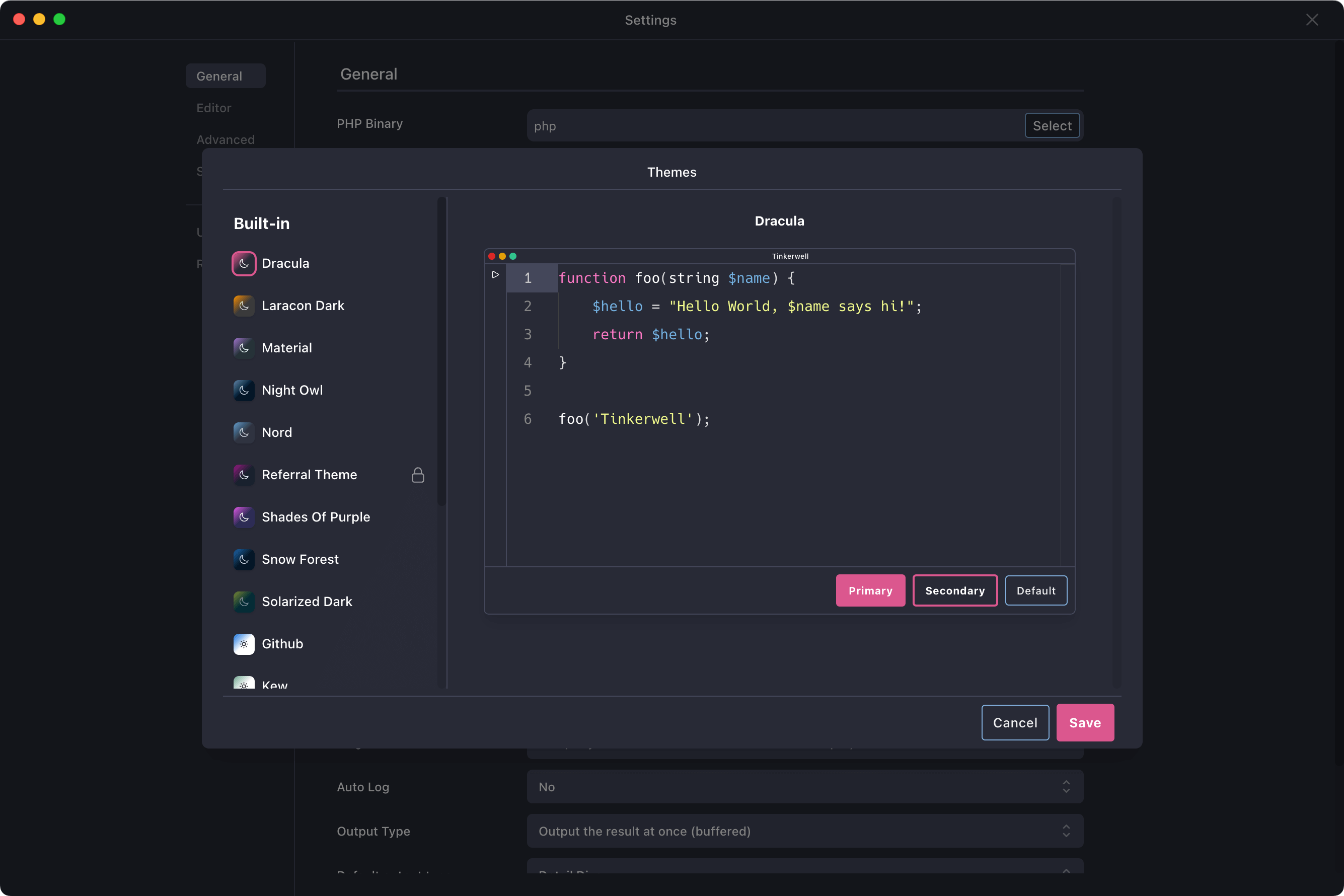
As developers, we love customizing our IDEs and value these options in other tools as well. Tinkerwell comes with a ton of themes for lovers of dark and light themes and you can even switch to one of them depending on your system preferences.
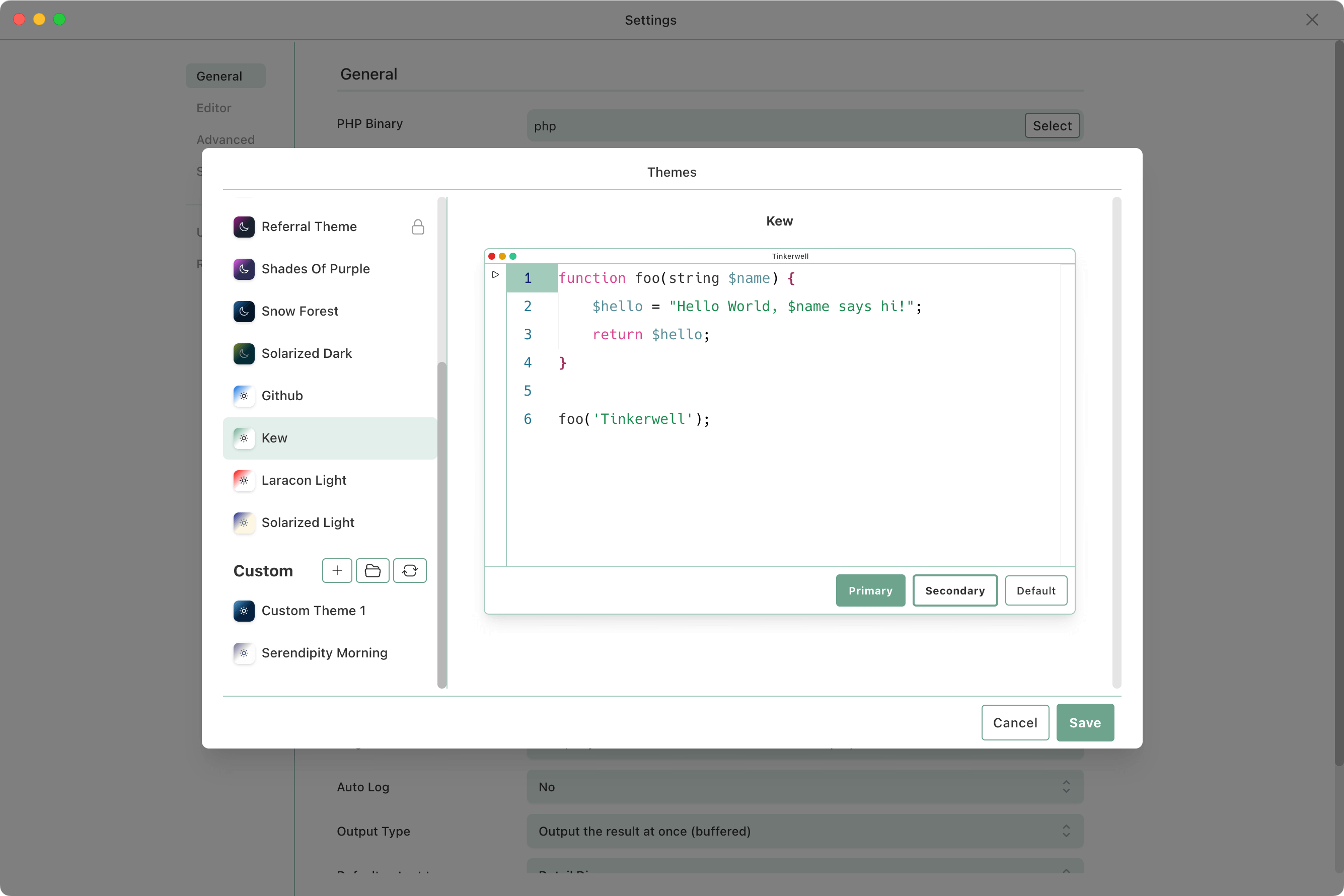
The preview window in the theme selector gives you an overview about the main colors of the app and the syntax highlighting in the app itself – but also works as a quick preview if you create a custom theme yourself.
If Tinkerwell doesn't offer the perfect theme for you, you can create your own theme from scratch or extend an existing theme to override it with colors that are better for your own taste.
"Tinkerwell allows me to prototype ideas in the most efficient way possible. I feel like my life was different before it."

"The PhpStorm-integration allows me to use Tinkerwell without leaving the comfortable environment of my IDE. Can't imagine living without it."

The must-have companion to your favorite IDE. Quickly iterate on PHP code within the context of your web application.
Buy now Learn more